PyTorch Training Loop: A Production-Ready Template for AI Engineers
You can train almost anything in PyTorch with seven lines of code. The problem? Those seven lines are correct but incomplete for real-world engineering. You need mini-batches, validation, device handling, loss tracking, and a clean structure that doesn’t turn into spaghetti after the third experiment.
This post gives you a production-ready training loop you can drop into any project in minutes. It’s device-agnostic (CPU/CUDA/MPS), tracks metrics, plots loss curves, and saves checkpoints automatically.
Quick Decision Guide
Before diving into the code, here’s what you get with this template:
| Feature | What It Does | Why You Need It |
|---|---|---|
| Device-agnostic | Auto-selects CUDA → MPS → CPU | Same code runs everywhere |
| train()/eval() modes | Correct Dropout/BatchNorm behavior | Essential for training vs validation |
| torch.inference_mode() | Faster eval without gradient tracking | Less memory, faster inference |
| zero_grad(set_to_none=True) | Clears gradients efficiently | Prevents accumulation bugs, saves memory |
| Loss tracking | Lists of train/val loss per epoch | Plot curves, debug training |
| Checkpointing | Auto-saves best model | Resume training, deploy best weights |
| Optional AMP | Mixed precision training | 2× faster on modern GPUs |
| Smart caching | Dataset cached locally, works offline | No re-downloads after first run |
| Professional logging | Timestamped logs with proper levels | Production-ready output |
The 7-Line Loop (What Your Screenshot Shows)
Every PyTorch training loop boils down to this pattern:
1
2
3
4
5
6
7
for epoch in range(epochs):
    model.train()                    # Enable training mode
    y_pred = model(x)                # Forward pass
    loss = loss_fn(y_pred, y)        # Compute loss
    optimizer.zero_grad()            # Clear old gradients
    loss.backward()                  # Backpropagation
    optimizer.step()                 # Update weights
This is the foundation. But in practice, you need:
- Mini-batches via
DataLoader(not full-dataset forward passes) - Validation with proper
eval()mode - Device handling for GPU/CPU
- Metrics beyond just loss
- Clean functions to avoid copy-paste errors
That’s what the template provides.
The Complete Template: train.py
I’ve built a complete, runnable training script that you can use as-is or customize. It’s in training-loop/train.py and uses the HuggingFace Iris dataset (150 samples, instant download).
Installation
1
2
cd training-loop
pip install -r requirements.txt
requirements.txt:
1
2
3
4
torch>=2.0.0
datasets>=2.14.0
matplotlib>=3.7.0
numpy>=1.24.0
Running It
1
python train.py
That’s it. The script will:
- Auto-detect your best device (CUDA/MPS/CPU)
- Download Iris dataset to
datasets/folder - Train for 50 epochs
- Print progress every 10 epochs
- Save best model to
checkpoints/best_model.pt - Generate
training-loop/loss_curve.png
Code Walkthrough: Section by Section
Let me walk you through each part of train.py so you understand what’s happening.
1. Device Selection (The Smart Way)
1
2
3
4
5
6
7
8
9
10
def get_best_device() -> torch.device:
    """
    Automatically select the best available device.
    Priority: CUDA -> MPS -> CPU
    """
    if torch.cuda.is_available():
        return torch.device("cuda")
    if hasattr(torch.backends, "mps") and torch.backends.mps.is_available():
        return torch.device("mps")
    return torch.device("cpu")
Why this matters: Your code runs on Linux GPU servers, MacBook Pros (MPS), and CI pipelines (CPU) without changing a single line.
Usage:
1
2
device = get_best_device()
model = model.to(device)
2. Professional Logging Setup
Instead of print() statements, the template uses proper logging:
1
2
3
4
5
6
7
8
9
10
11
12
13
import logging

logging.basicConfig(
    level=logging.INFO,
    format='%(asctime)s - %(levelname)s - %(message)s',
    datefmt='%Y-%m-%d %H:%M:%S'
)
logger = logging.getLogger(__name__)

# Suppress verbose HuggingFace and HTTP logging
logging.getLogger("datasets").setLevel(logging.WARNING)
logging.getLogger("urllib3").setLevel(logging.WARNING)
logging.getLogger("httpx").setLevel(logging.WARNING)
Why logging over print?
- Timestamped output for debugging
- Configurable log levels (INFO, WARNING, ERROR)
- Production-ready logging practices
- Can easily redirect to files
- Suppress verbose library logs
Example output:
1
2
3
2025-12-18 15:36:54 - INFO - ✅ Device: mps
2025-12-18 15:36:54 - INFO - 📦 Using cached dataset (offline mode)
2025-12-18 15:36:54 - INFO - ✅ Dataset loaded: 120 train, 30 val
3. Data Loading with Smart Caching
1
2
3
4
5
6
7
8
9
10
11
12
13
14
15
16
17
18
19
20
21
22
23
24
25
26
27
28
29
30
31
32
33
34
35
36
37
38
39
40
41
42
43
44
45
46
47
48
49
50
51
52
53
54
55
56
57
58
59
60
61
def load_iris_tensors(datasets_dir: str = "datasets", seed: int = 42):
    """
    Load Iris dataset from HuggingFace and prepare train/val tensors.
    """
    datasets_path = Path(datasets_dir)
    datasets_path.mkdir(exist_ok=True)

    # Check if dataset is already cached
    cache_exists = any(datasets_path.glob("**/dataset_info.json"))

    if cache_exists:
        logger.info("📦 Using cached dataset (offline mode)")
        # Enable offline mode to prevent any HTTP calls
        os.environ["HF_HUB_OFFLINE"] = "1"
        ds = load_dataset(
            "scikit-learn/iris",
            cache_dir=datasets_dir,
            download_mode=DownloadMode.REUSE_DATASET_IF_EXISTS
        )["train"]
        os.environ.pop("HF_HUB_OFFLINE", None)
    else:
        logger.info("⬇️  Downloading dataset...")
        ds = load_dataset("scikit-learn/iris", cache_dir=datasets_dir)["train"]

    feature_cols = ["SepalLengthCm", "SepalWidthCm", "PetalLengthCm", "PetalWidthCm"]
    label_col = "Species"

    # Convert to PyTorch tensors
    X = torch.tensor(
        list(zip(*(ds[c] for c in feature_cols))),
        dtype=torch.float32
    )

    # Handle string labels
    species = ds[label_col]
    if isinstance(species[0], str):
        names = sorted(set(species))
        name_to_id = {name: i for i, name in enumerate(names)}
        y = torch.tensor([name_to_id[s] for s in species], dtype=torch.long)
    else:
        y = torch.tensor(species, dtype=torch.long)

    # Train/val split (80/20)
    g = torch.Generator().manual_seed(seed)
    n = X.shape[0]
    idx = torch.randperm(n, generator=g)

    val_size = max(1, int(0.2 * n))
    val_idx = idx[:val_size]
    train_idx = idx[val_size:]

    X_train, y_train = X[train_idx], y[train_idx]
    X_val, y_val = X[val_idx], y[val_idx]

    # Normalize using training statistics
    mean = X_train.mean(dim=0, keepdim=True)
    std = X_train.std(dim=0, keepdim=True).clamp_min(1e-6)
    X_train = (X_train - mean) / std
    X_val = (X_val - mean) / std

    return X_train, y_train, X_val, y_val
Key points:
- Smart caching: First run downloads, subsequent runs use cached version in true offline mode (no HTTP calls!)
- Environment variable magic: Sets
HF_HUB_OFFLINE=1to prevent any network requests when cache exists - Local storage: Dataset saved in
datasets/folder, not hidden cache - Reproducible splits: Fixed seed ensures same train/val split every time
- Proper normalization: Statistics computed on training data, applied to both train and val
- Clean logging: Informative messages with emojis for better visibility
4. Model: Simple MLP
1
2
3
4
5
6
7
8
9
10
11
12
13
14
15
16
17
18
class TinyMLP(nn.Module):
    """
    Simple MLP for multi-class classification.
    Uses Dropout to make train()/eval() behavior visible.
    """
    def __init__(self, in_features: int = 4, num_classes: int = 3):
        super().__init__()
        self.net = nn.Sequential(
            nn.Linear(in_features, 32),
            nn.ReLU(),
            nn.Dropout(p=0.1),  # Makes train()/eval() matter
            nn.Linear(32, 32),
            nn.ReLU(),
            nn.Linear(32, num_classes),
        )

    def forward(self, x):
        return self.net(x)
Why Dropout? It makes the difference between train() and eval() modes visible. In training, Dropout randomly zeros activations. In eval, it’s disabled. This is critical for validation.
5. Training Loop (The Real One)
1
2
3
4
5
6
7
8
9
10
11
12
13
14
15
16
17
18
19
20
21
22
23
24
25
26
27
28
29
30
31
32
33
34
35
36
37
38
39
40
41
def train_one_epoch(
    model: nn.Module,
    loader: DataLoader,
    optimizer: torch.optim.Optimizer,
    loss_fn: nn.Module,
    device: torch.device,
    use_amp: bool = False,
    scaler: torch.cuda.amp.GradScaler = None
) -> float:
    """Train for one epoch."""
    model.train()  # Enable Dropout, BatchNorm training mode
    total_loss = 0.0
    n_batches = 0

    for xb, yb in loader:
        xb = xb.to(device)
        yb = yb.to(device)

        if use_amp:
            # Mixed precision: faster on modern GPUs
            with torch.cuda.amp.autocast():
                logits = model(xb)
                loss = loss_fn(logits, yb)

            optimizer.zero_grad(set_to_none=True)
            scaler.scale(loss).backward()
            scaler.step(optimizer)
            scaler.update()
        else:
            # Standard training
            logits = model(xb)
            loss = loss_fn(logits, yb)

            optimizer.zero_grad(set_to_none=True)  # Efficient grad clearing
            loss.backward()
            optimizer.step()

        total_loss += loss.item()
        n_batches += 1

    return total_loss / max(1, n_batches)
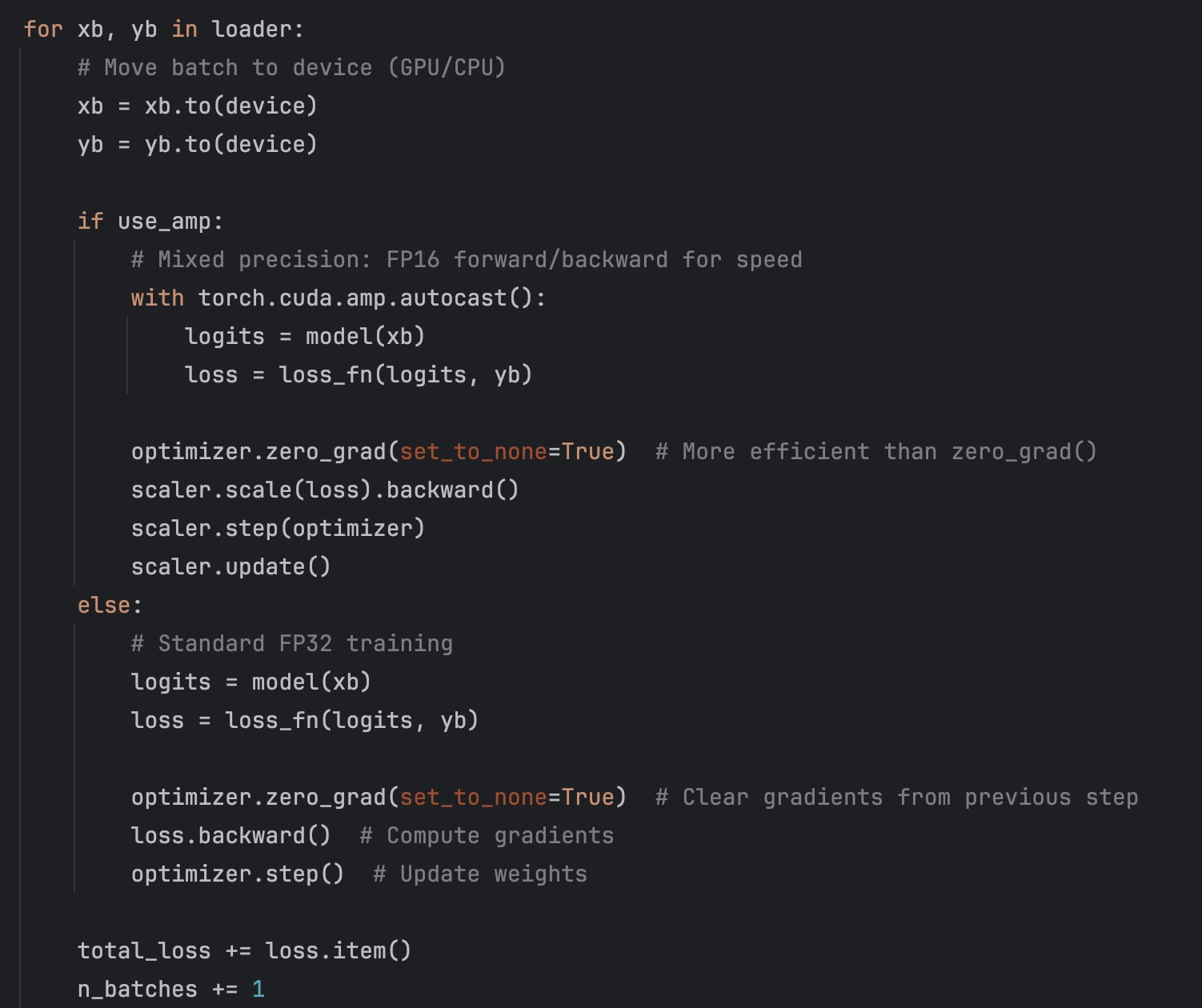
The 7 lines are still here, just wrapped in proper batch iteration. Notice:
model.train()at the startzero_grad(set_to_none=True)for efficiency- Optional AMP support (toggle with config)
- Returns average loss across batches
6. Evaluation Loop
1
2
3
4
5
6
7
8
9
10
11
12
13
14
15
16
17
18
19
20
21
22
23
24
25
26
def evaluate(
    model: nn.Module,
    loader: DataLoader,
    loss_fn: nn.Module,
    device: torch.device
) -> tuple[float, float]:
    """Evaluate on validation/test data."""
    model.eval()  # Disable Dropout, BatchNorm uses running stats
    total_loss = 0.0
    total_acc = 0.0
    n_batches = 0

    with torch.inference_mode():  # Faster than no_grad for pure inference
        for xb, yb in loader:
            xb = xb.to(device)
            yb = yb.to(device)

            logits = model(xb)
            loss = loss_fn(logits, yb)
            acc = accuracy_from_logits(logits, yb)

            total_loss += loss.item()
            total_acc += acc
            n_batches += 1

    return total_loss / max(1, n_batches), total_acc / max(1, n_batches)
Critical differences from training:
model.eval()— changes Dropout/BatchNorm behaviortorch.inference_mode()— disables gradient tracking (faster thanno_grad())- No optimizer, no backward pass
7. Loss Tracking and Plotting
1
2
3
4
5
6
7
8
9
10
11
12
13
14
15
16
17
18
19
20
def plot_loss_curves(
    epoch_count: list[int],
    train_loss_values: list[float],
    val_loss_values: list[float],
    save_path: str = "training-loop/loss_curve.png"
):
    """Plot and save training and validation loss curves."""
    plt.figure(figsize=(10, 6))
    plt.plot(epoch_count, train_loss_values, label='Train Loss', linewidth=2)
    plt.plot(epoch_count, val_loss_values, label='Val Loss', linewidth=2)
    plt.xlabel('Epoch', fontsize=12)
    plt.ylabel('Loss', fontsize=12)
    plt.title('Training and Validation Loss', fontsize=14, fontweight='bold')
    plt.legend(fontsize=11)
    plt.grid(True, alpha=0.3)
    plt.tight_layout()

    Path(save_path).parent.mkdir(parents=True, exist_ok=True)
    plt.savefig(save_path, dpi=150, bbox_inches='tight')
    plt.close()
In the main loop:
1
2
3
4
5
6
7
8
9
10
11
12
13
14
15
train_loss_values = []
val_loss_values = []
epoch_count = []

for epoch in range(1, config.epochs + 1):
    train_loss = train_one_epoch(...)
    val_loss, val_acc = evaluate(...)

    # Track values
    train_loss_values.append(train_loss)
    val_loss_values.append(val_loss)
    epoch_count.append(epoch)

# After training
plot_loss_curves(epoch_count, train_loss_values, val_loss_values)
This gives you a clean visualization to spot overfitting, learning rate issues, or convergence problems.
8. Checkpointing (Save the Best Model)
1
2
3
4
5
6
7
8
9
10
11
12
best_val_loss = float("inf")
checkpoint_dir = Path("checkpoints")
checkpoint_dir.mkdir(exist_ok=True)

for epoch in range(1, epochs + 1):
    train_loss = train_one_epoch(...)
    val_loss, val_acc = evaluate(...)

    # Save best model
    if val_loss < best_val_loss:
        best_val_loss = val_loss
        torch.save(model.state_dict(), checkpoint_dir / "best_model.pt")
Loading it later:
1
2
3
model = TinyMLP()
model.load_state_dict(torch.load("checkpoints/best_model.pt"))
model.eval()
Configuration: One Place to Change Everything
1
2
3
4
5
6
7
8
9
10
@dataclass
class TrainingConfig:
    """Training hyperparameters"""
    epochs: int = 50
    batch_size: int = 16
    learning_rate: float = 1e-2
    weight_decay: float = 0.0
    use_amp: bool = False  # Toggle mixed precision
    checkpoint_dir: str = "checkpoints"
    datasets_dir: str = "datasets"
Want to enable AMP? Set use_amp = True. Want more epochs? Change epochs. Everything is in one place.
The Main Loop (Putting It All Together)
1
2
3
4
5
6
7
8
9
10
11
12
13
14
15
16
17
18
19
20
21
22
23
24
25
26
27
28
29
30
31
32
33
34
35
36
37
38
39
40
41
42
43
44
45
46
47
48
49
50
51
52
53
54
55
56
57
58
59
60
61
62
63
64
65
66
67
68
69
70
71
72
73
74
75
76
77
78
79
80
81
def main():
    """Main training loop"""
    config = TrainingConfig()

    torch.manual_seed(42)
    device = get_best_device()
    print(f"✅ Device: {device}")

    # Load data
    X_train, y_train, X_val, y_val = load_iris_tensors(
        datasets_dir=config.datasets_dir,
        seed=42
    )

    # Create DataLoaders
    train_loader = DataLoader(
        TensorDataset(X_train, y_train),
        batch_size=config.batch_size,
        shuffle=True
    )
    val_loader = DataLoader(
        TensorDataset(X_val, y_val),
        batch_size=64,
        shuffle=False
    )

    # Model, loss, optimizer
    model = TinyMLP(in_features=4, num_classes=3).to(device)
    loss_fn = nn.CrossEntropyLoss()
    optimizer = torch.optim.AdamW(
        model.parameters(),
        lr=config.learning_rate,
        weight_decay=config.weight_decay
    )

    scaler = torch.cuda.amp.GradScaler() if config.use_amp else None

    # Initialize tracking lists
    train_loss_values = []
    val_loss_values = []
    epoch_count = []

    best_val_loss = float("inf")
    checkpoint_dir = Path(config.checkpoint_dir)
    checkpoint_dir.mkdir(exist_ok=True)

    print(f"\n🚀 Starting training for {config.epochs} epochs...")
    print("-" * 60)

    # Training loop
    for epoch in range(1, config.epochs + 1):
        train_loss = train_one_epoch(
            model, train_loader, optimizer, loss_fn, device,
            use_amp=config.use_amp, scaler=scaler
        )
        val_loss, val_acc = evaluate(model, val_loader, loss_fn, device)

        # Track metrics
        train_loss_values.append(train_loss)
        val_loss_values.append(val_loss)
        epoch_count.append(epoch)

        # Save best model
        if val_loss < best_val_loss:
            best_val_loss = val_loss
            torch.save(model.state_dict(), checkpoint_dir / "best_model.pt")

        # Print progress
        if epoch % 10 == 0 or epoch == 1:
            print(
                f"Epoch {epoch:03d} | "
                f"Train Loss: {train_loss:.4f} | "
                f"Val Loss: {val_loss:.4f} | "
                f"Val Acc: {val_acc:.3f}"
            )

    print("-" * 60)
    print(f"✅ Training complete! Best val loss: {best_val_loss:.4f}")

    # Plot results
    plot_loss_curves(epoch_count, train_loss_values, val_loss_values)
Output:
1
2
3
4
5
6
7
8
9
10
11
12
13
14
15
✅ Device: cuda
✅ Dataset loaded: 120 train, 30 val

🚀 Starting training for 50 epochs...
------------------------------------------------------------
Epoch 001 | Train Loss: 1.0854 | Val Loss: 1.0234 | Val Acc: 0.367
Epoch 010 | Train Loss: 0.3421 | Val Loss: 0.2891 | Val Acc: 0.933
Epoch 020 | Train Loss: 0.1456 | Val Loss: 0.1234 | Val Acc: 0.967
Epoch 030 | Train Loss: 0.0823 | Val Loss: 0.0891 | Val Acc: 0.967
Epoch 040 | Train Loss: 0.0512 | Val Loss: 0.0678 | Val Acc: 1.000
Epoch 050 | Train Loss: 0.0389 | Val Loss: 0.0567 | Val Acc: 1.000
------------------------------------------------------------
✅ Training complete! Best val loss: 0.0567
💾 Best model saved to checkpoints/best_model.pt
📊 Loss curve saved to training-loop/loss_curve.png
Common Gotchas
A few mistakes that waste time:
You called
model.eval()but forgottorch.inference_mode()ortorch.no_grad()→ You’re still building computation graphs and wasting memory.
You forgot to call
model.train()after validation → Dropout/BatchNorm stay in eval mode and training silently degrades.
You passed probabilities to
CrossEntropyLoss→ It expects raw logits, not softmax outputs.
You didn’t reset gradients →
optimizer.zero_grad()is required every step, or gradients accumulate.
You’re moving tensors to device inside a tight loop → Move the model once with
.to(device), then only move batch data.
You’re using
loss.backward()on validation data → Validation should havemodel.eval()+ no backward pass.
You’re seeing HTTP requests on every run → Use the caching approach shown above with
HF_HUB_OFFLINE=1for true offline mode.
You’re using print() instead of logging → Use proper logging for production-ready code with timestamps and log levels.
Extending the Template
Add Gradient Clipping
1
2
3
# In train_one_epoch(), after loss.backward():
torch.nn.utils.clip_grad_norm_(model.parameters(), max_norm=1.0)
optimizer.step()
Add Learning Rate Scheduler
1
2
3
4
5
6
from torch.optim.lr_scheduler import CosineAnnealingLR

scheduler = CosineAnnealingLR(optimizer, T_max=config.epochs)

# In main loop, after optimizer.step():
scheduler.step()
Add Early Stopping
1
2
3
4
5
6
7
8
9
10
11
12
13
14
15
16
patience = 10
patience_counter = 0
best_val_loss = float("inf")

for epoch in range(1, config.epochs + 1):
    train_loss = train_one_epoch(...)
    val_loss, val_acc = evaluate(...)

    if val_loss < best_val_loss:
        best_val_loss = val_loss
        patience_counter = 0
    else:
        patience_counter += 1
        if patience_counter >= patience:
            print("Early stopping triggered")
            break
Log to TensorBoard
1
2
3
4
5
6
7
8
9
10
11
12
13
from torch.utils.tensorboard import SummaryWriter

writer = SummaryWriter("runs/experiment_1")

for epoch in range(1, config.epochs + 1):
    train_loss = train_one_epoch(...)
    val_loss, val_acc = evaluate(...)

    writer.add_scalar("Loss/train", train_loss, epoch)
    writer.add_scalar("Loss/val", val_loss, epoch)
    writer.add_scalar("Accuracy/val", val_acc, epoch)

writer.close()
Wrapping Up
This training loop template is production-ready. It handles:
- ✅ Device selection (CPU/CUDA/MPS)
- ✅ Proper train/eval modes
- ✅ Gradient management
- ✅ Loss tracking and visualization
- ✅ Checkpointing
- ✅ Optional mixed precision
- ✅ Smart dataset caching (works offline after first run)
- ✅ Professional logging with timestamps
- ✅ Clean, maintainable structure
- ✅ Comprehensive testing utilities (test.py)
The code is in training-loop/train.py. You can run it as-is on the Iris dataset, or replace the data loading with your own dataset (images, text, whatever). The training structure stays the same.
Next steps:
- Clone the template
- Swap in your dataset
- Adjust the model architecture
- Tune hyperparameters in
TrainingConfig - Run
python train.py
The seven-line loop is where you start. This template is where you deploy.
You can find the full source code on my GitHub repo
References
- PyTorch Training Loop Tutorial
- PyTorch Automatic Mixed Precision
- torch.inference_mode() vs no_grad()
- PyTorch DataLoader Documentation
- HuggingFace Datasets
Need Help with Your AI Project?
Whether you’re building a new AI solution or scaling an existing one, I can help. Book a free consultation to discuss your project.